Keep your spaces organized
Add sizes, standard prices and space details. Find occupied, vacant, reserved and archived spaces without losing their history.
Built for independent facility owners
Manage your spaces, renters, availability and billing in one straightforward application. Keep the details together, so you can get on with your day.
From the first enquiry to the last payment.
The everyday essentials
Know who’s renting, what’s available and where each account stands. Follow the whole rental from one place.
Add sizes, standard prices and space details. Find occupied, vacant, reserved and archived spaces without losing their history.
Check current availability, plan future move-ins and keep a waiting list. Contact reminders help you follow up when a suitable space opens.
Keep contact details, rental dates, balances and account history together. Close a rental while retaining its records.
Use monthly, weekly or seasonal rates, prorate the first month and record agreed price overrides with a reason.
Record payments received elsewhere, charges, credits and refunds. View what’s owed and print an account statement.
Switch between facilities, review recorded payment totals and export the ledger as CSV. Restricted admin controls manage manager access.
Take a look inside
Explore screenshots of the working application. Every name, space and amount shown here is fictional.
This is a screenshot tour. The controls shown in these images are not interactive. Sign in to use the application.
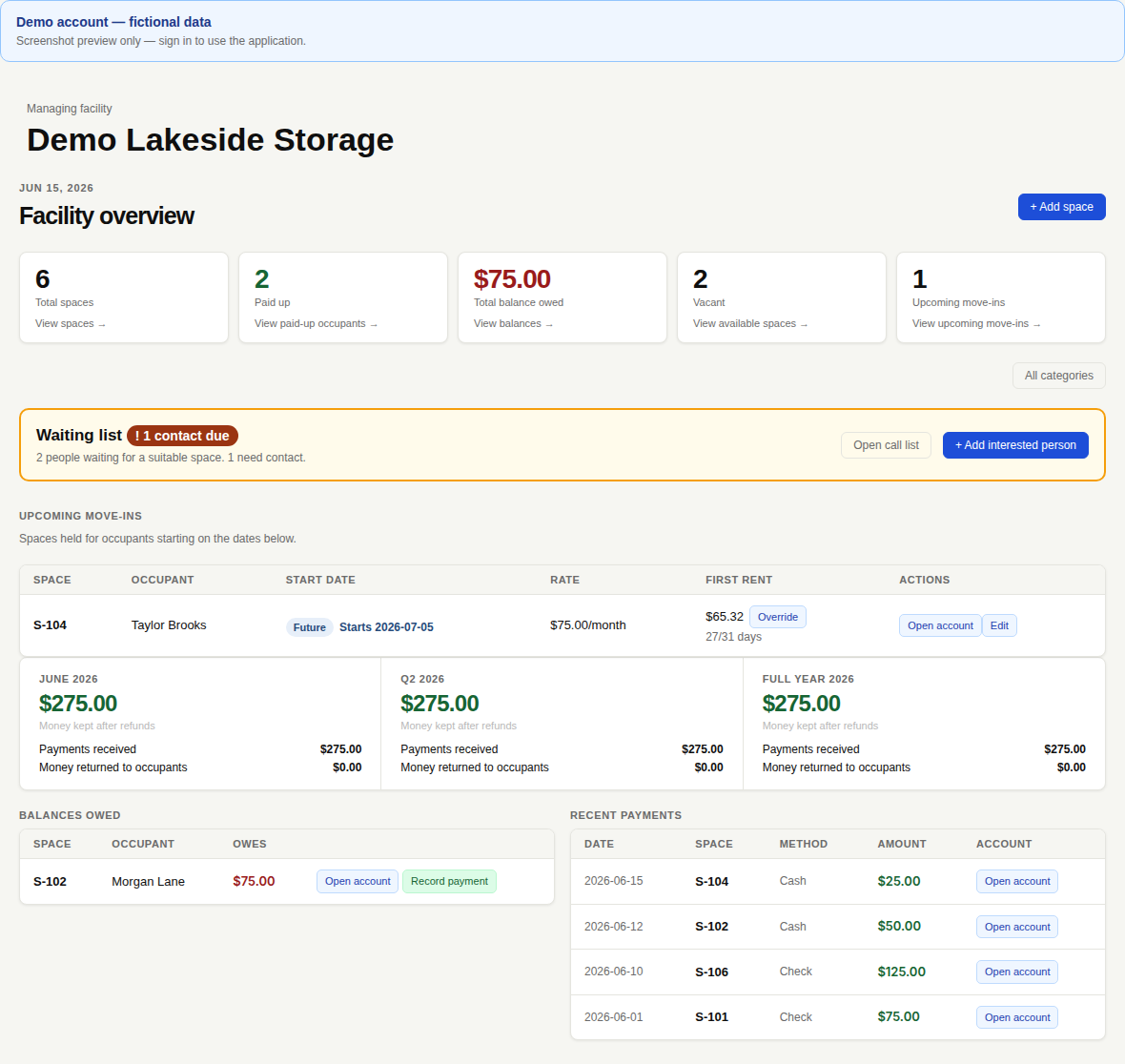
See space totals, vacancies, upcoming move-ins, balances and recent recorded payments.
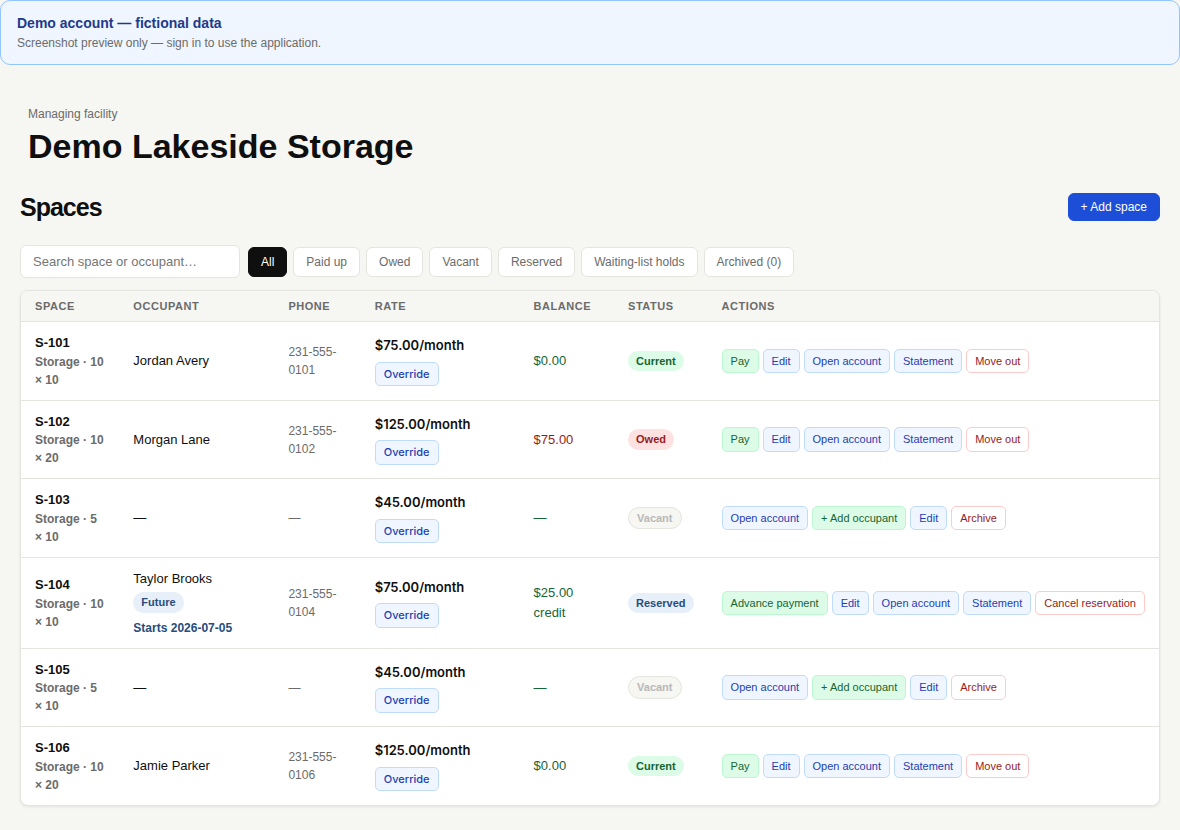
Search renters and spaces, filter by status and see an upcoming move-in’s start date.
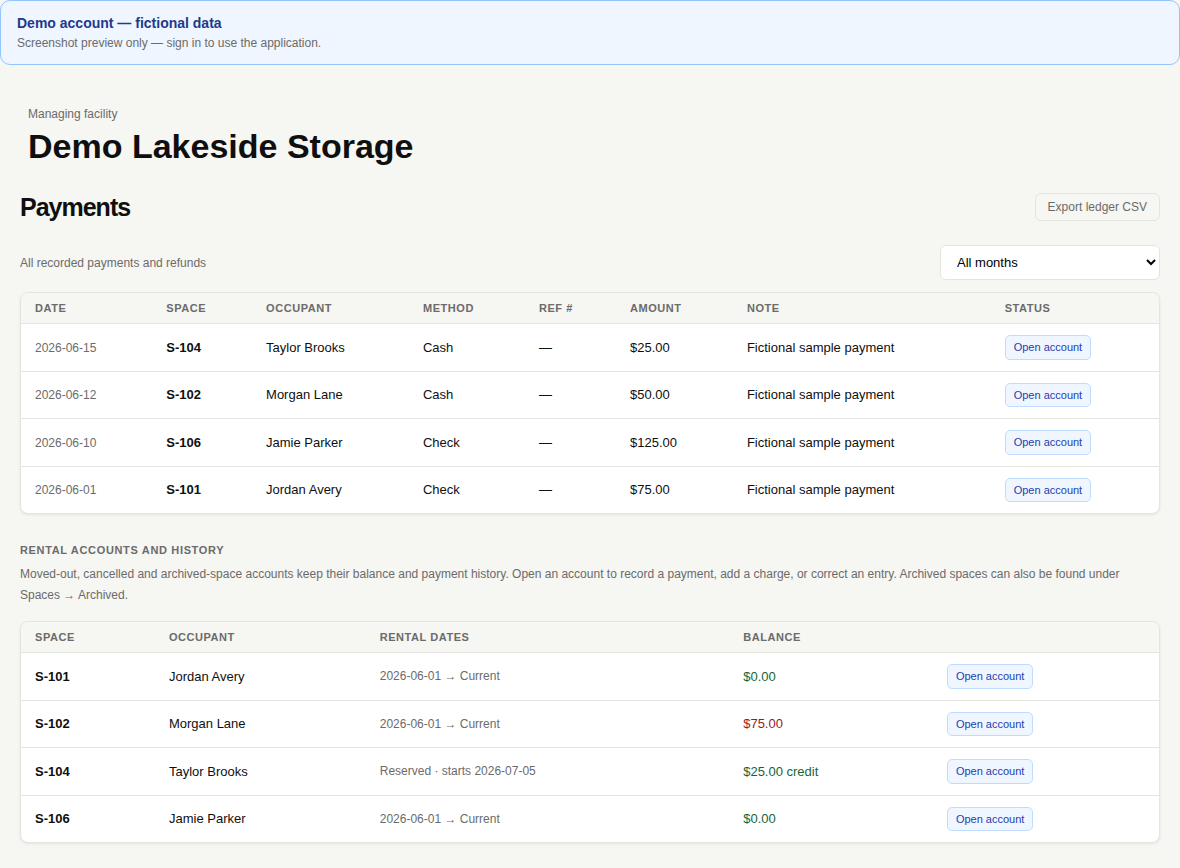
Review recorded payments and account history, filter by month and export the ledger.
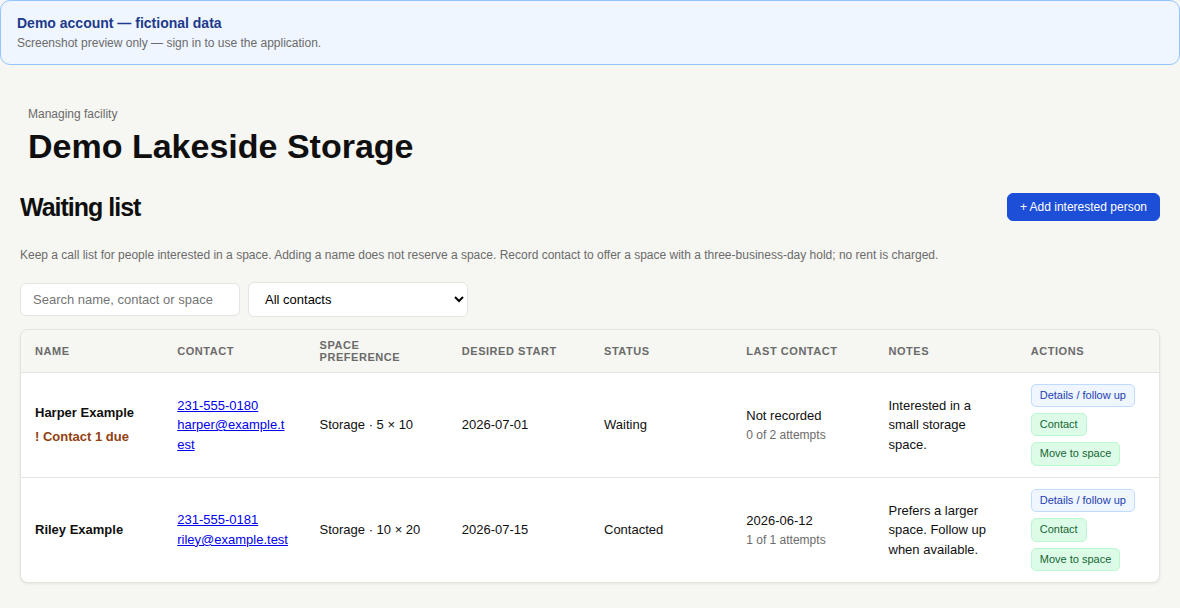
Save interested people, their space preferences and contact attempts, with reminders and dated holds.
A straightforward workflow
The built-in Help guide explains each screen and gives you a quick reference when you need it.
Add your facility name, spaces, sizes and usual prices. Manage more than one facility from the same login.
Save their contact details, agreed rate and start date. A future start reserves the space for that rental.
Track rent due, record payments collected elsewhere and review balances, statements and history.
Manage RV and boat storage, parking, campsites, cabins and airport hangars, too. Choose the type and size, or enter your own description.
Why OpenSpace?
Running a storage facility involves more than invoices. OpenSpace brings spaces, availability, renter information and rental records into one application built for day-to-day facility operations.
A comparison of current OpenSpace features and QuickBooks Online (US) used on its own. QuickBooks features vary by plan and setup.
Swipe or scroll across the table to compare both products. Keyboard users can focus the table and use the arrow keys.
| Feature | OpenSpace ManagementBuilt for rental spaces | QuickBooks AloneBuilt for accounting |
|---|---|---|
| Storage space inventory | Individual spaces, types, sizes and archived history. | Product and service lists; inventory tracks stock for sale. |
| Space availability | Available spaces, active rentals, future move-ins and waiting-list holds. | Space availability needs a separate tracking workflow. |
| Rental management | Rental dates and accounts linked to each space. | Customer records, invoices and recurring transactions. |
| Customer management | Renter contacts linked to spaces and rental history. | General customer records and invoice history. |
| Facility operations | Facility switching, waiting lists and contact follow-up. | Accounting tools; facility workflows need additional setup. |
| Rental pricing | Monthly, weekly and seasonal rates, proration and recorded overrides. | Product/service rates and invoice pricing. |
| Occupancy tracking | Current rentals, vacant spaces and upcoming move-ins. | Dedicated space occupancy needs a separate tracking workflow. |
| Accounting | Rental ledger and manual records of payments received elsewhere. | Income, expenses and general bookkeeping. |
| Financial reporting | Recorded payment totals, account balances and ledger CSV. | Financial reports, including profit and loss. |
| Payment processing | PlannedStripe integration is planned. OpenSpace does not process payments today. | QuickBooks Payments is available, subject to eligibility and setup. |
| QuickBooks connection | PlannedDedicated QuickBooks export is planned. No integration or synchronization today. | Accounting records are already held within QuickBooks. |
This workflow comparison is OpenSpace’s assessment of its current application and Intuit’s documented tools. QuickBooks can be adapted through customization, manual workflows or third-party applications. Those options are outside this comparison.
Keep space types, sizes and availability together. Active rentals, future move-ins and waiting-list holds are reflected in availability.
Open a space’s account to find renter contacts, rental dates, balances and retained payment history.
Switch between your facilities, set standard prices and follow up with people on the waiting list.
Review vacant spaces, upcoming move-ins, balances owed and recorded payment totals from your facility dashboard.
Different jobs. A place for both.
QuickBooks can remain your business’s accounting platform while OpenSpace handles the daily rental details. Today, records are maintained separately: the existing ledger CSV is not a dedicated QuickBooks export or an automatic connection.
Explore the software demoReviewed October 28, 2026. OpenSpace descriptions reflect the current manager application. QuickBooks descriptions refer to QuickBooks Online (US); plans, availability and payment eligibility may change.
Intuit’s documentation: Inventory · Products and pricing · Customers and invoices · Financial reports · Payment processing.
QuickBooks is a trademark of Intuit Inc. OpenSpace Management is an independent product and is not affiliated with or endorsed by Intuit.
The current application records money received elsewhere, including cash and check payments, along with charges, credits and refunds. It does not process card or ACH payments. Stripe integration is planned for a later phase.
Yes. Enter the renter’s future start date to reserve a vacant space. You can also keep interested people on a waiting list and record contact attempts and temporary space holds.
Yes. Use one login to switch between the facilities you manage. Each facility keeps its own spaces, prices, contacts and account records.
The current app is operated by managers. Managers maintain renter information and can prepare account statements; a renter self-service portal is not currently available.
The manager interface adapts to phones, tablets and laptops. You can print account statements and export the ledger as a general CSV file. A dedicated QuickBooks export is planned separately.
Follow what’s next
Get product updates as the application develops. Joining the list does not create a manager account.